Equipment setup & lab support / New Jersey

3D printer setup. A more capable space.

For the first machine.
For the whole lab.
For what comes next.

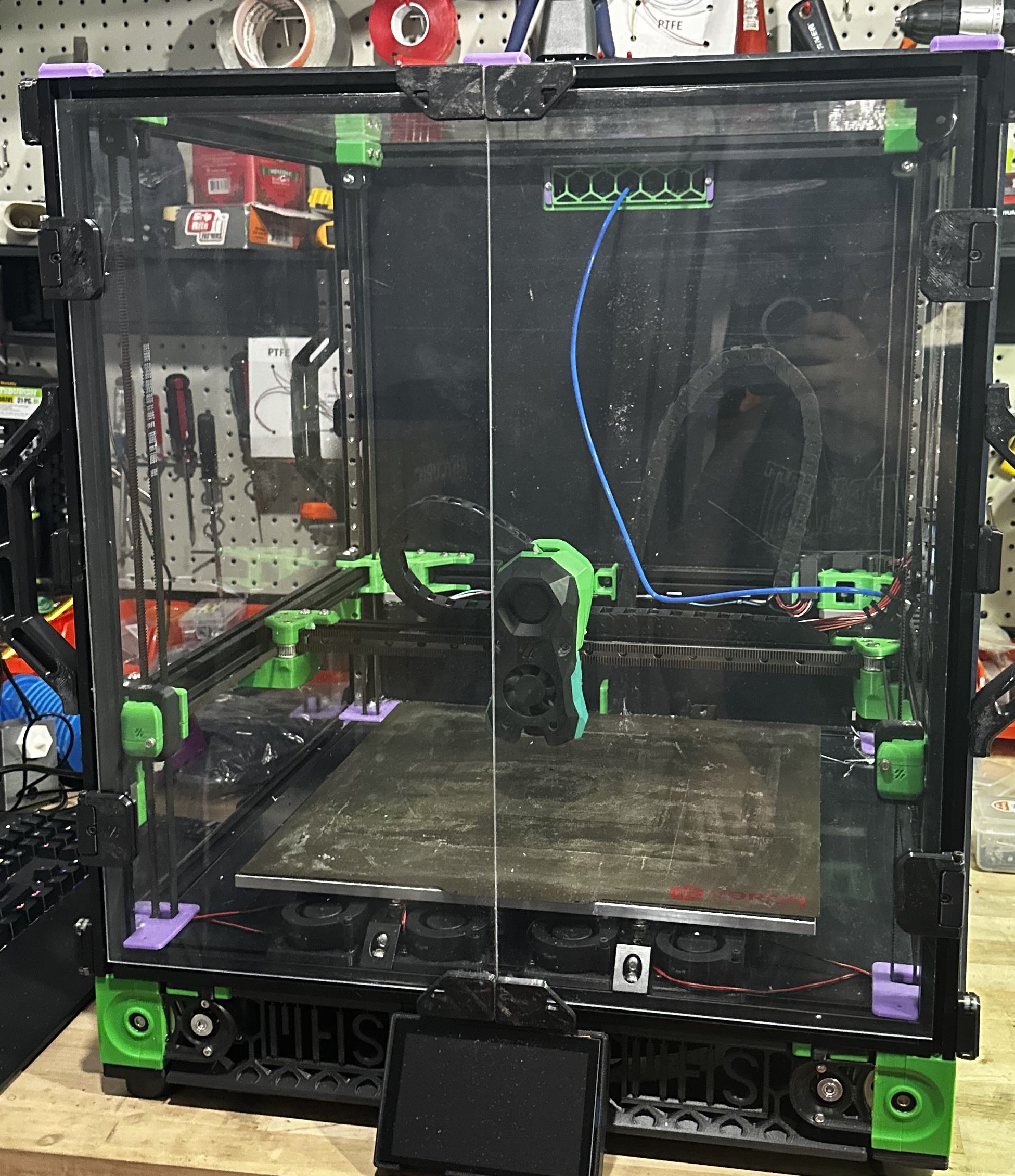
Enclosed 3D printer with green printed components and a large build platform
Equipment from the DDA work archive

Choose it. Use it. Keep it working.

Bring fabrication in-house with equipment that fits your work—and support beyond the first successful print.

Talk about your equipment

DDA helps New Jersey schools, businesses, and individual owners choose equipment, get it running, and keep it useful as their needs change.

A goal or a problem is enough to start. You do not need a shopping list.

Equipment support that fits your work

What does your setup need to do?

Start with your setting. We’ll shape the equipment, training, and maintenance around the way you will use it.

Schools & classrooms

Equip the room. Prepare the teachers.

Choose printers for your classroom projects and budget, set up new machines, and train teachers to prepare files, run prints, and handle routine care. Existing equipment can be assessed for repair or replacement.

DDA provides setup, staff training, and agreed maintenance visits. School staff manage daily operation and student supervision.

Businesses

Bring the right capability in-house.

Choose equipment for the parts, models, and prototypes your team needs to make. We can help with sourcing, configuration, operator training, and a maintenance plan for one machine or a shared fleet.

Start with a new capability, a growing workload, or equipment that is holding your team back.

Individual owners

Get comfortable with your equipment.

Get help comparing printers, assembling and calibrating a new machine, or learning one you already own. Work through file preparation, settings, and routine care with guidance tailored to your setup.

Start with the project you want to make or the machine you need help using.
Support at every stage

The purchase is just the beginning.

From choosing a machine to deciding when to replace it, each stage builds on the last. Bring us the whole project or just the stage where you need help.

Already have equipment? Start with an assessment of what you own and what you want it to do next.

  1. Define & choose

    Work through what you want to make, who will use the equipment, your space, and your budget. Compare suitable machines and identify the software, materials, and accessories needed alongside them.

    The goal: a purchase that fits the work.

  2. Source & set up

    Get help with sourcing, assembly, configuration, and calibration. Discuss placement and site requirements before delivery, then check the machine with an agreed test job.

    The goal: equipment ready for its intended use.

  3. Learn & hand over

    Practice the steps your users need: preparing a file, choosing settings, loading material, running a job, and recognizing common problems. Shape the guidance around your actual equipment.

    The goal: people who know how to begin.

  4. Maintain & troubleshoot

    Assess faults, address wear, and establish routine care for your equipment. Agree which work you can handle yourself and where scheduled maintenance or repair support would help.

    The goal: a practical plan for keeping equipment useful.

  5. Upgrade & replace

    When needs change or repairs keep returning, compare keeping, upgrading, or replacing the machine. Consider parts availability, ongoing upkeep, and the work the next setup needs to handle.

    The goal: a sensible next investment.

Work behind the offer

Selection, handover, and hands-on care.

Two examples from our school equipment work show how this support carries through into practice.

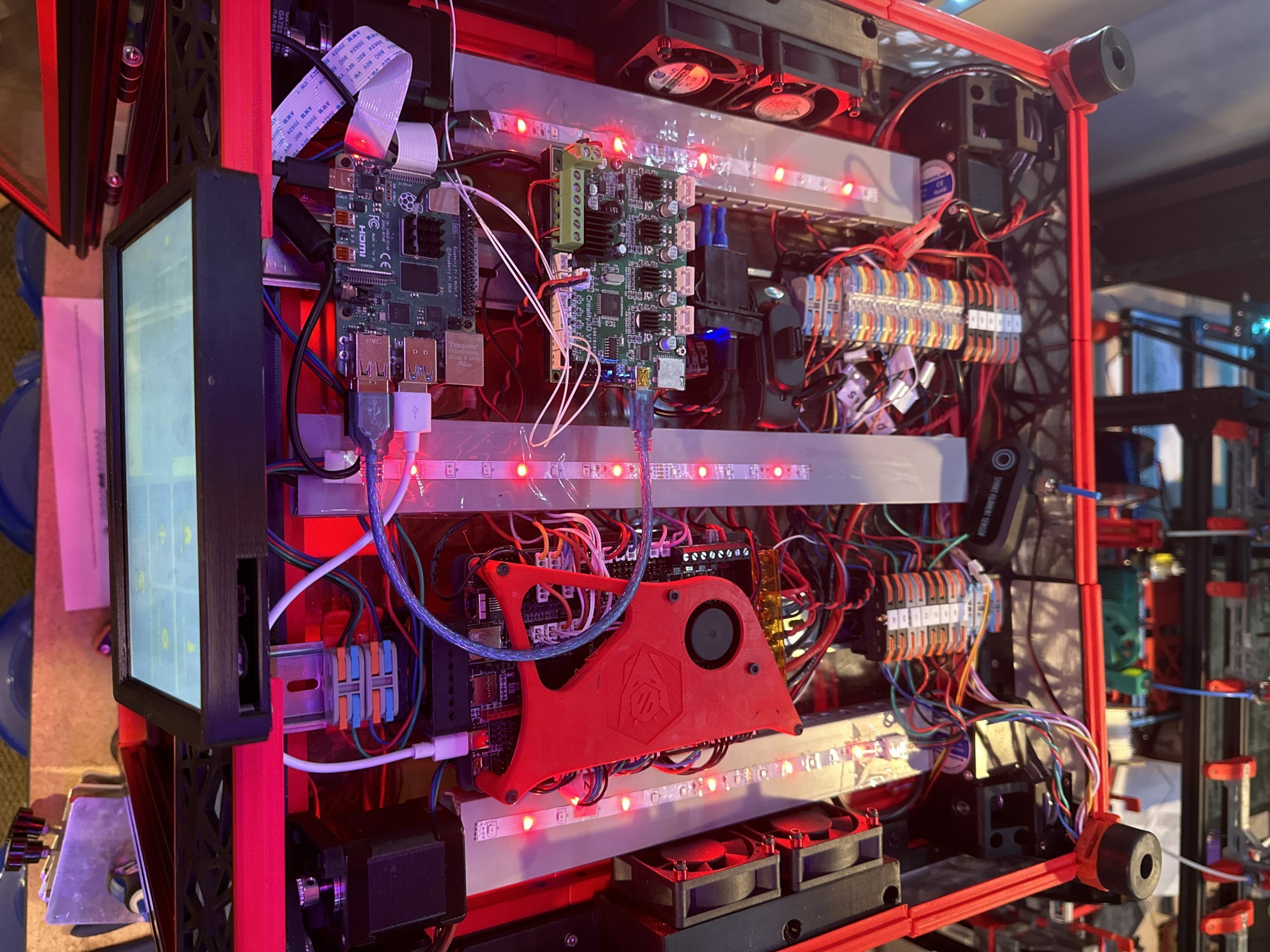
Wiring, cooling fans, and control electronics inside a fabrication machine
A closer look: control electronics and wiring from the DDA equipment archive.

School equipment / Selection & operation

Support on both sides of a purchase.

For one high school, DDA discussed existing MakerBot equipment and quoted two replacement printers. A later Ender 3 handover included showing the user how to level the bed and load material.

Purchasing discussion · Equipment handover · Operator guidance

School equipment / Mixed-fleet upkeep

Different machines. Different needs.

At another high school, work included replacing Formlabs resin vats, testing LulzBot printers, changing a toolhead, and replacing a Modix flexplate.

Resin & FDM · Testing · Component replacement

A useful place to begin

A practical plan starts with a conversation.

Tell us what you want to make and where you are starting. 3D printers are a core part of our work; laser equipment, other fabrication tools, and unusual equipment combinations are worth discussing too.

Your setup brief

The work
What you want to make, materials, part size, and how often you expect to use the equipment.
The people
Who will operate the equipment and what they need to learn.
The space
Work surfaces, machine access, power, ventilation needs, and IT requirements.
The budget
Equipment, accessories, consumables, setup, and ongoing care.

Unsure about any of these? That is part of the conversation.

Practical questions

Before we get started.

Can you help before we choose a printer?

Yes. Start with what you want to make, who will use the machine, and any space or budget constraints. Equipment selection and sourcing guidance can be part of the project.

Can you set up equipment we already bought?

Yes, subject to the equipment and work required. Share the make and model, whether it is assembled, where it will be used, and what you need help with.

Does this include training and ongoing maintenance?

Both can be included in the agreed scope. Training prepares you or your staff to operate the equipment and perform routine care. Maintenance and repair work are arranged separately around the machines and the support needed.

What does equipment setup cost?

We scope the work around the machines, their condition, the location, and the support you need. Share what you know so we can discuss an appropriate approach and quote. Equipment, parts, training, and ongoing service should be identified in that scope.

Where in New Jersey can you provide support?

Share your location, equipment list, and the work you need. We’ll confirm service arrangements and timing as part of the quote.

What about power, ventilation, and network requirements?

These belong in the planning conversation. We can review the equipment requirements and coordinate with your facilities or IT team. Building modifications, electrical work, and ventilation installation should be separately scoped with the appropriate providers.

Start with what you know

What would you like your space to do?

A new capability, a room of idle machines, or a setup that needs to work better—tell us where you are starting.

Call Now Button